 NimbleClean
Space left at a glance
The home screen shows the space left, the percentage left and the total. It needs no permission. When less than 10% is left, a short note tells you.
NimbleClean is a simple cleaner for phones that keep running out of space. Open it to see how much space is left. Tap once to get one list of what you could clear, and choose for yourself.
For Android 8.0 and later. Counting happens on this phone; files are not uploaded.
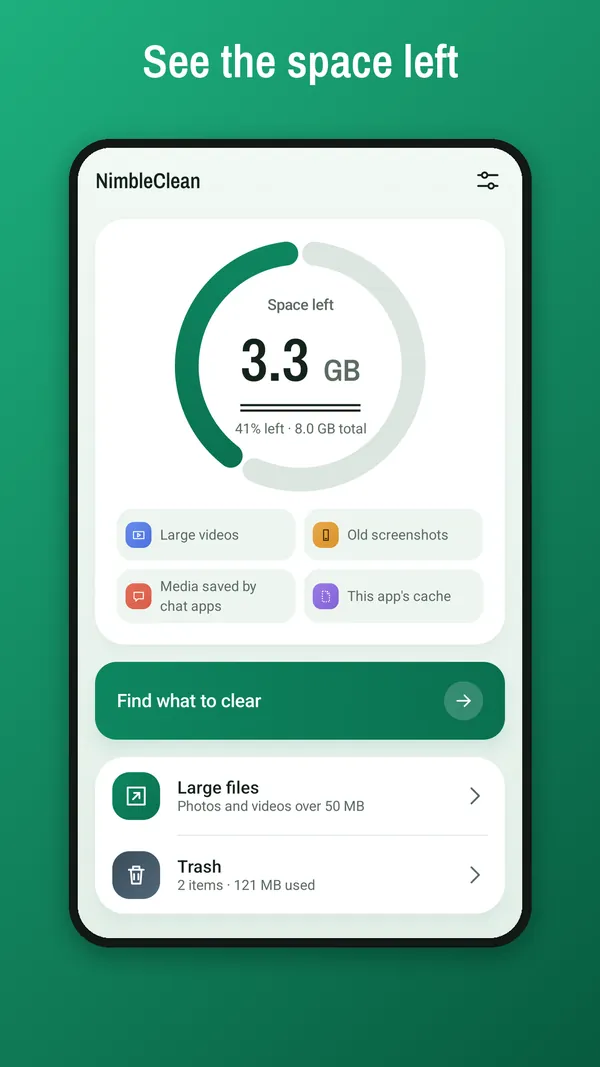
The home screen shows the space left, the percentage left and the total. No permission is asked at this point.
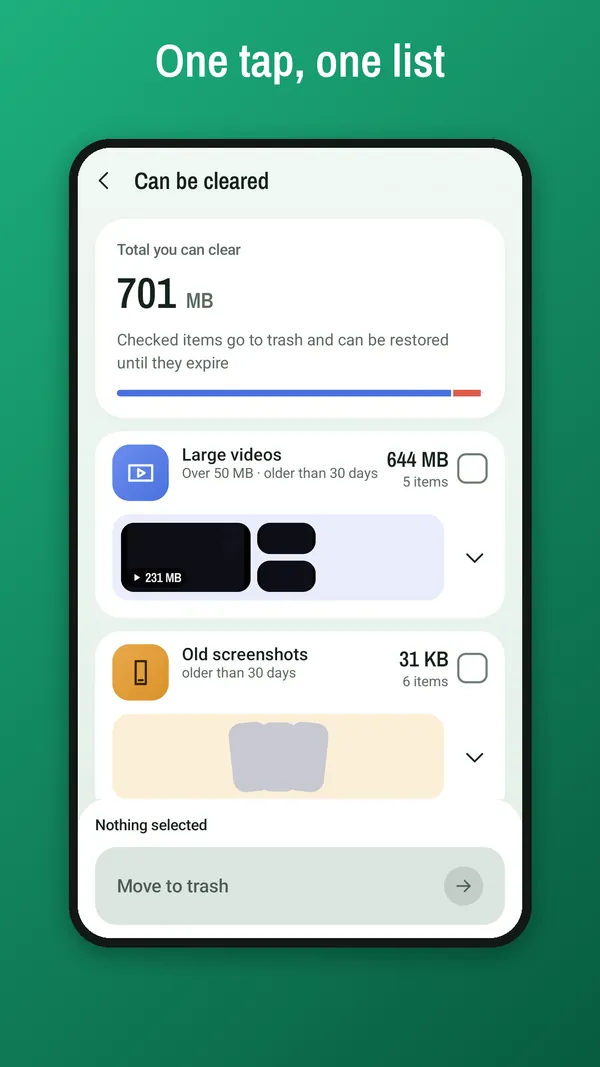
Tap “Find what to clear” and allow access to photos and videos. You get one list, with a measured size for each group.
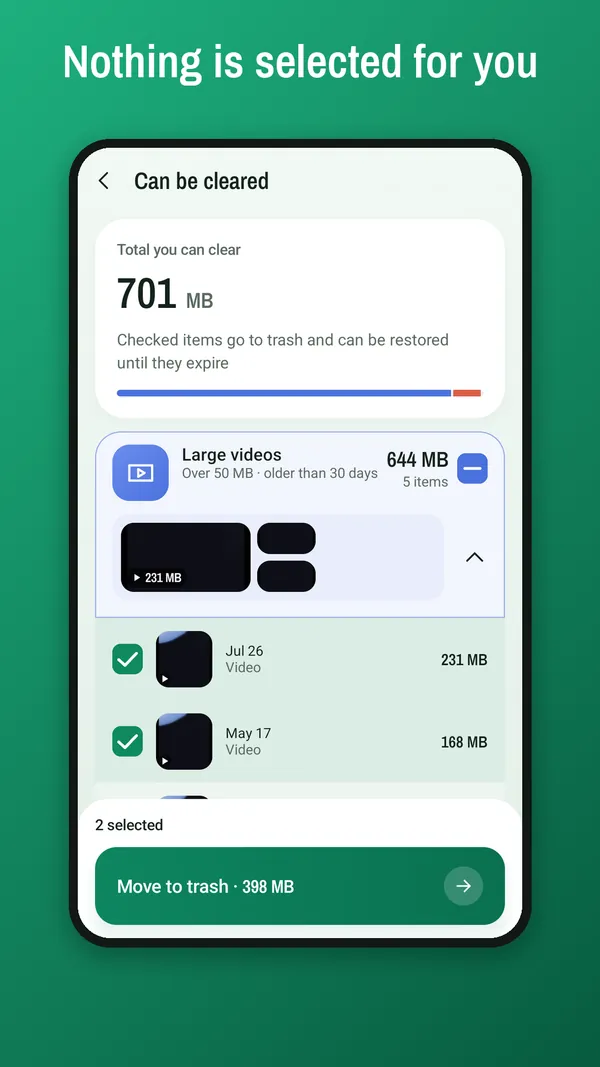
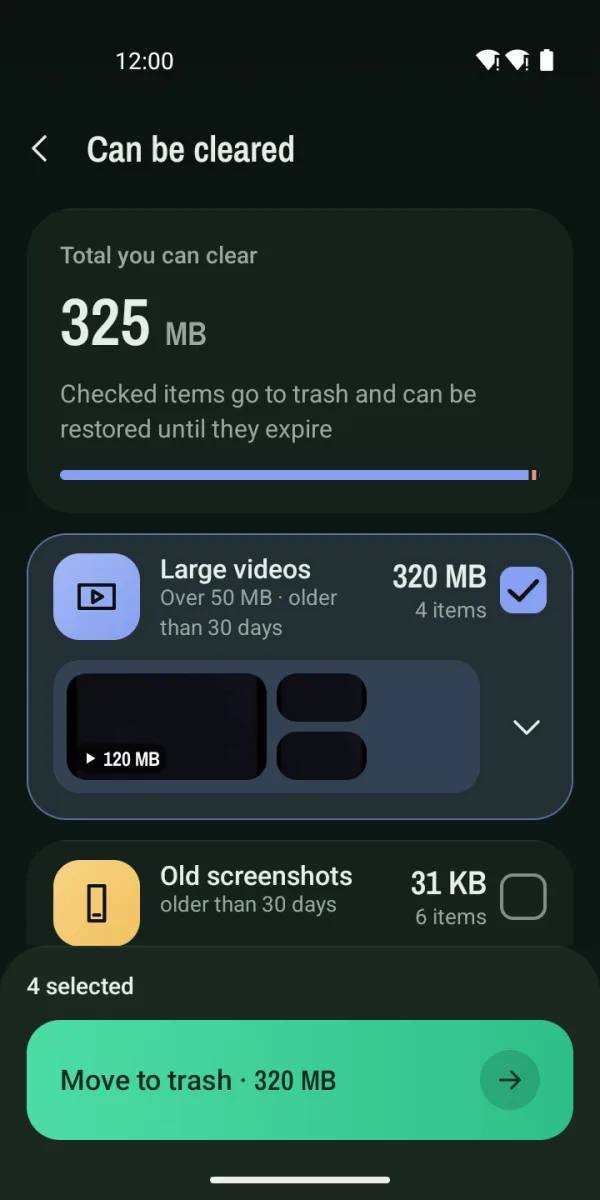
Nothing is checked at the start. Check what you want, then confirm. Items go to the trash first where Android has one.
The home screen shows the space left, the percentage left and the total. It needs no permission. When less than 10% is left, a short note tells you.
Tap “Find what to clear” and allow access to photos and videos. NimbleClean adds up four groups, each with its rule and its measured size. A file is counted in one group only, and empty groups are hidden.
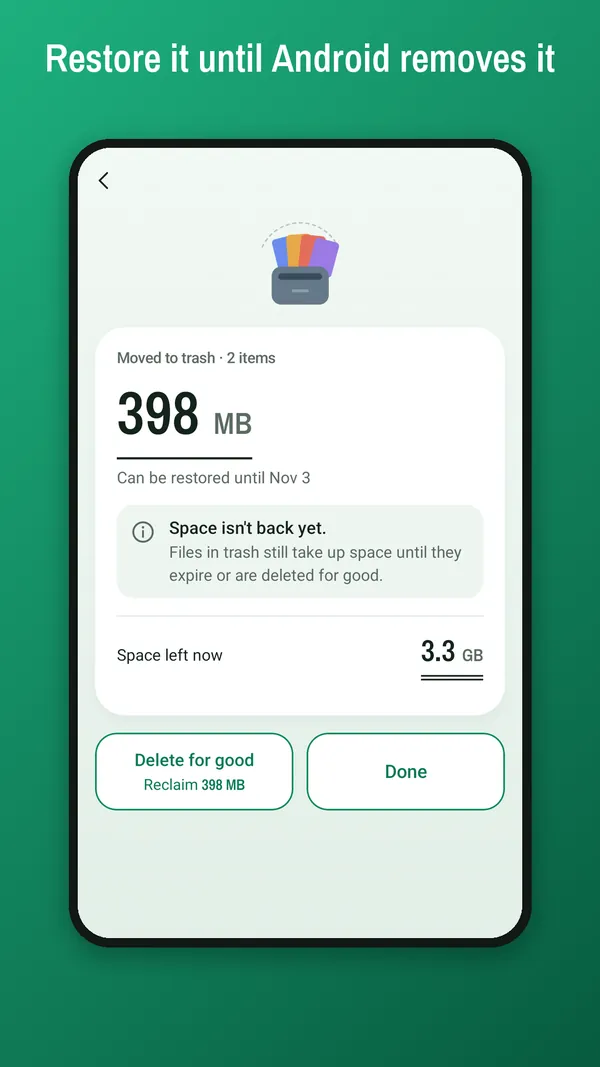
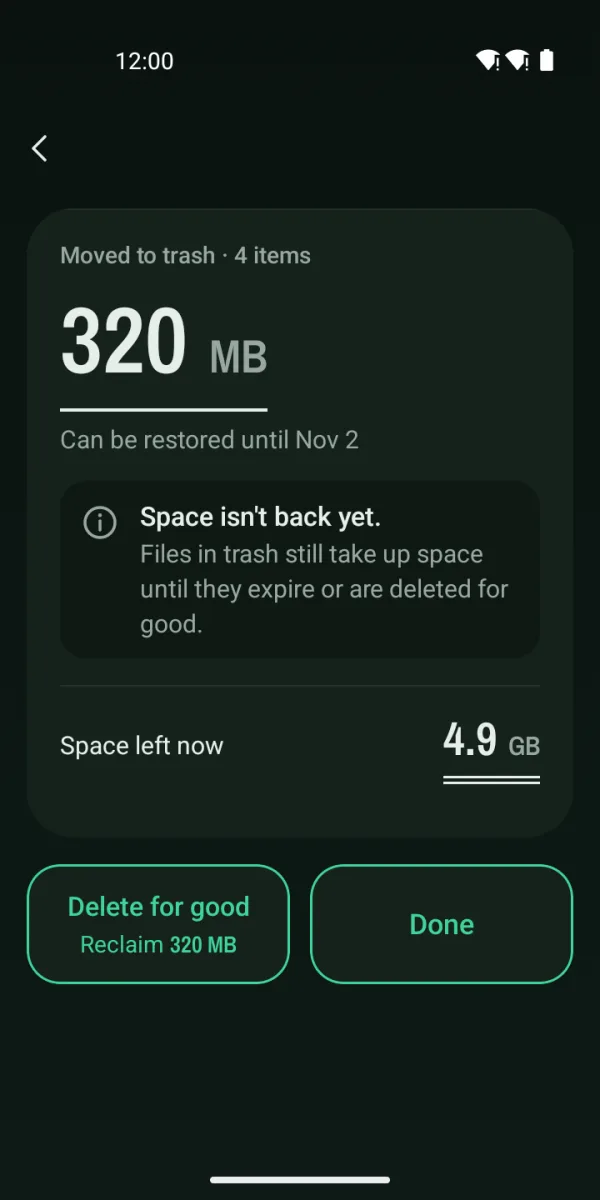
Nothing is selected for you. On Android 11 and later, what you choose goes to the system trash first, and you can restore it until Android removes it. On Android 10 and earlier there is no system trash, so the confirmation tells you items can’t be recovered.
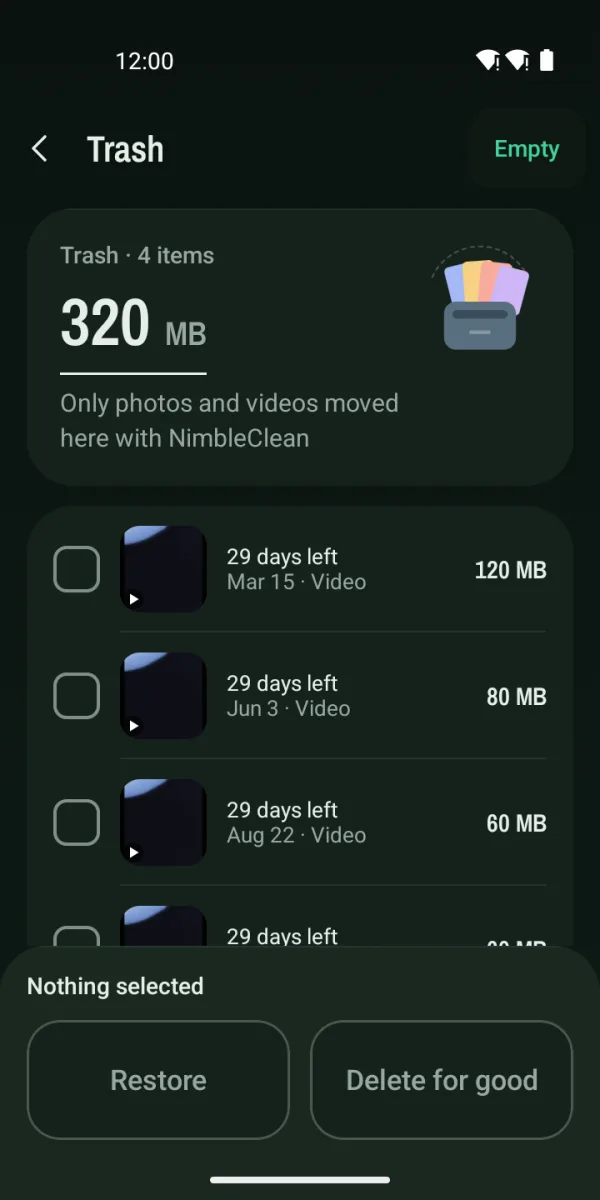
See photos and videos over 50 MB or over 100 MB, largest first. On Android 11 and later, the Trash screen lists what NimbleClean moved to the system trash: restore items, or delete them for good.
Rules as they stand in this version. Each group shows its measured size on your phone.
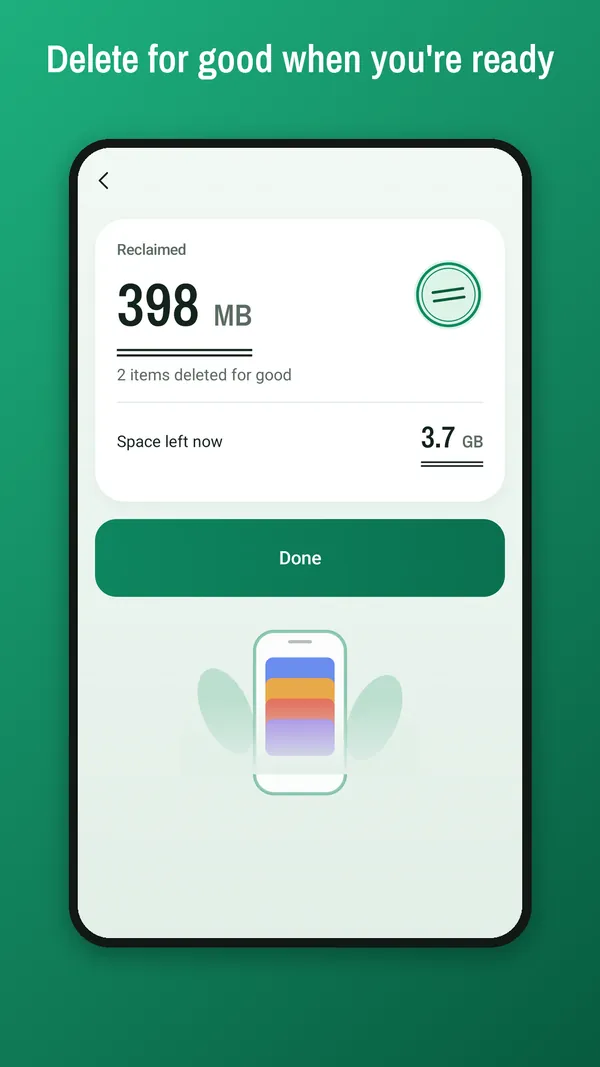
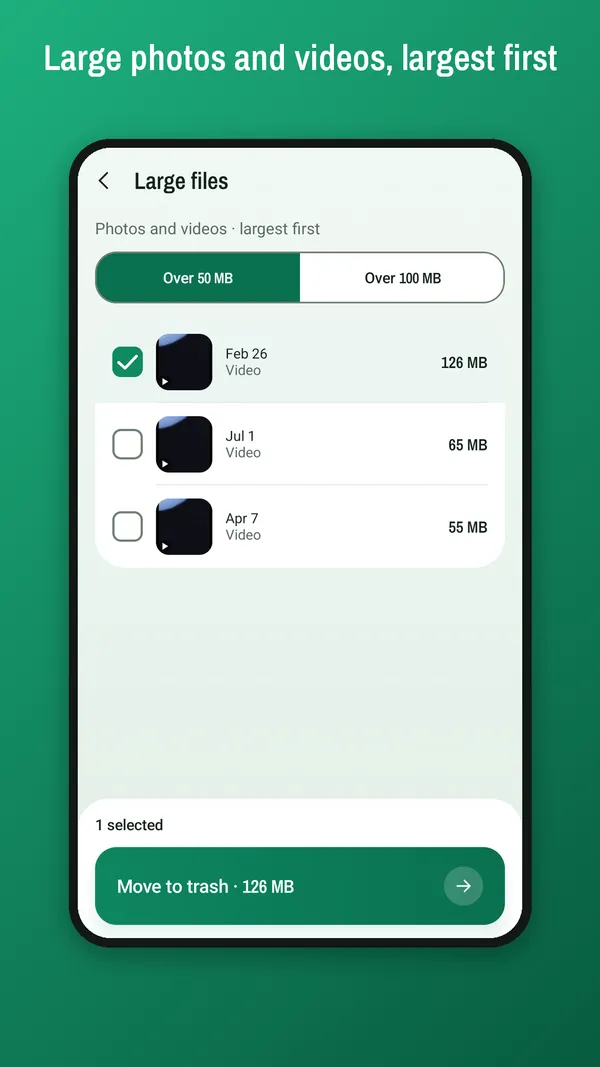
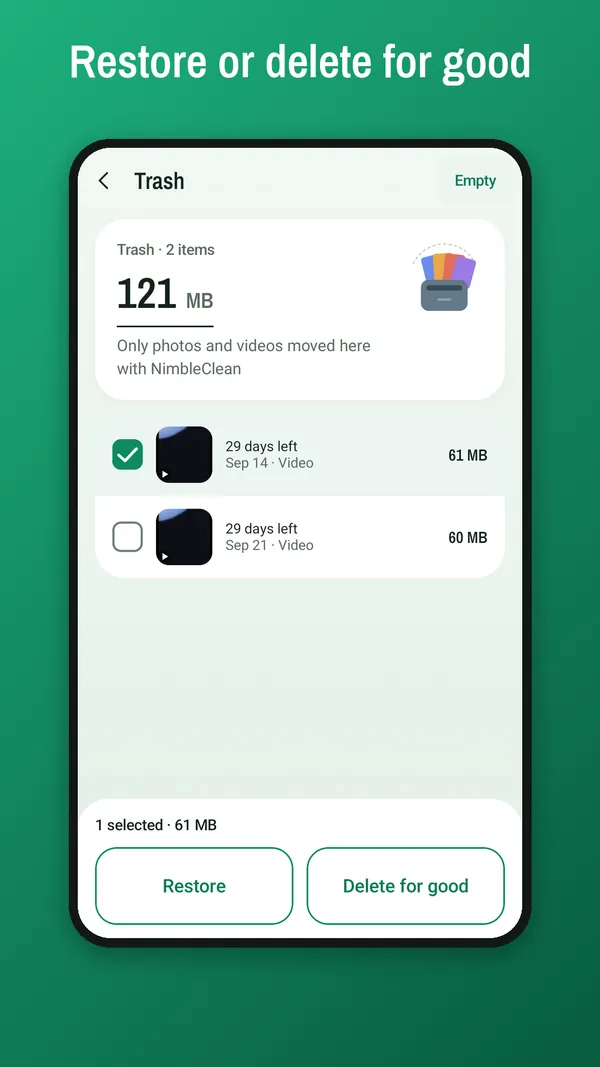
NimbleClean follows your phone’s light or dark setting. The dark colors are set separately, not simply inverted.
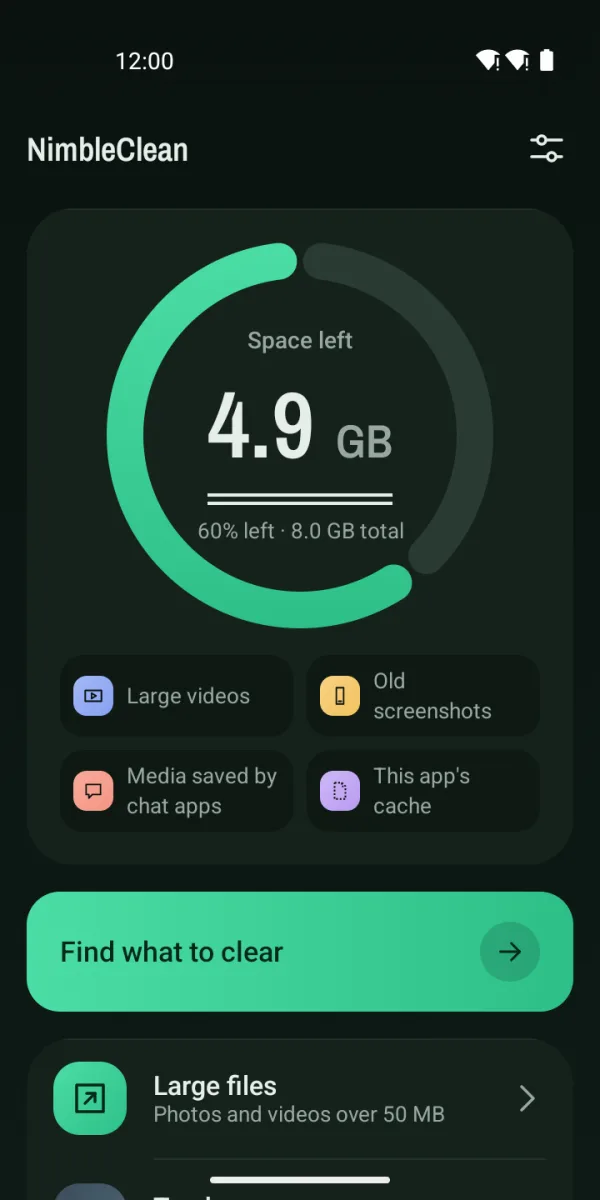
| Android 11 and later | Android 10 and earlier | |
|---|---|---|
| What you choose | Moves to the system trash | Deleted after you confirm |
| Restore | Possible until Android removes it | Can’t be recovered |
| Trash screen | Yes: restore, delete for good, or empty | None |
| “Reclaimed” shown | Only after you delete for good | After deleting, as measured |
NimbleClean runs on Android 8.0 and later. Files on this app’s cache group are deleted right away on every version.
NimbleClean follows your phone’s language and can be changed in Settings.
Counting happens on this phone; files are not uploaded. If you allow access to only some photos and videos, NimbleClean counts only those and tells you so. The only permission it asks for is access to photos and videos.
Read the privacy policy or visit Support.